loder
Dependency-Free Access to PNG Image Files
Read and write access to PNG image files using the LodePNG library. The package has no external dependencies.


Simple, dependency-free access to PNG images
The loder package provides functions for easily reading from PNG image files and writing to them. It functions in a very similar way to Simon Urbanek's venerable png package, but unlike that package it does not require external libpng and zlib libraries to be installed. Instead, loder includes Lode Vandevenne's compact LodePNG library, which provides self-contained PNG read and write functionality.
Installation
The package may be installed from CRAN using the standard command
install.packages("loder")
Alternatively, the latest development version can be installed directly from GitHub using the remotes package, viz.
## install.packages("remotes")
remotes::install_github("jonclayden/loder")
Reading and writing files
The readPng function is used to read PNG images. It returns an array of class loder with three dimensions representing rows, columns and channels. Greyscale images have one channel, grey/alpha images have two, red/green/blue (RGB) images have three, and red/green/blue/alpha images have four.
library(loder)
path <- system.file("extdata", "pngsuite", "basn6a08.png", package="loder")
image <- readPng(path)
dim(image)
## [1] 32 32  4
Metadata including background colour, aspect ratio and pixel size or image resolution are available through attributes, if they are stored in the file.
path <- system.file("extdata", "pngsuite", "cdfn2c08.png", package="loder")
attributes(readPng(path))
## $dim
## [1] 32  8  3
##
## $class
## [1] "loder" "array"
##
## $range
## [1]   0 255
##
## $asp
## [1] 4
The display function from the mmand package respects these attributes, and can be used to view the image on an R graphics device.
## install.packages("mmand")
mmand::display(image)
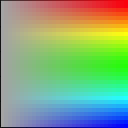
Metadata alone may be read using the inspectPng function, which also gives information about the compression level achieved:
inspectPng(path)
## PNG file: /opt/homebrew/lib/R/4.2/site-library/loder/extdata/pngsuite/cdfn2c08.png
## - 32 x 8 pixels, RGB
## - 8 bpp (uncompressed data size 768 B; file size is 404 B)
## - Aspect ratio is 4 : 1
Image data can be written back to a file using the writePng function. The theoretical numerical range of the pixel intensities (i.e., the black and white points) can be set using the range attribute or an argument of the same name.
writePng(image, tempfile(), range=c(0,200))
This will rescale the image intensities, and clip any values outside the specified range to the appropriate extreme.