shinyXYpad
XY Controller for 'Shiny'
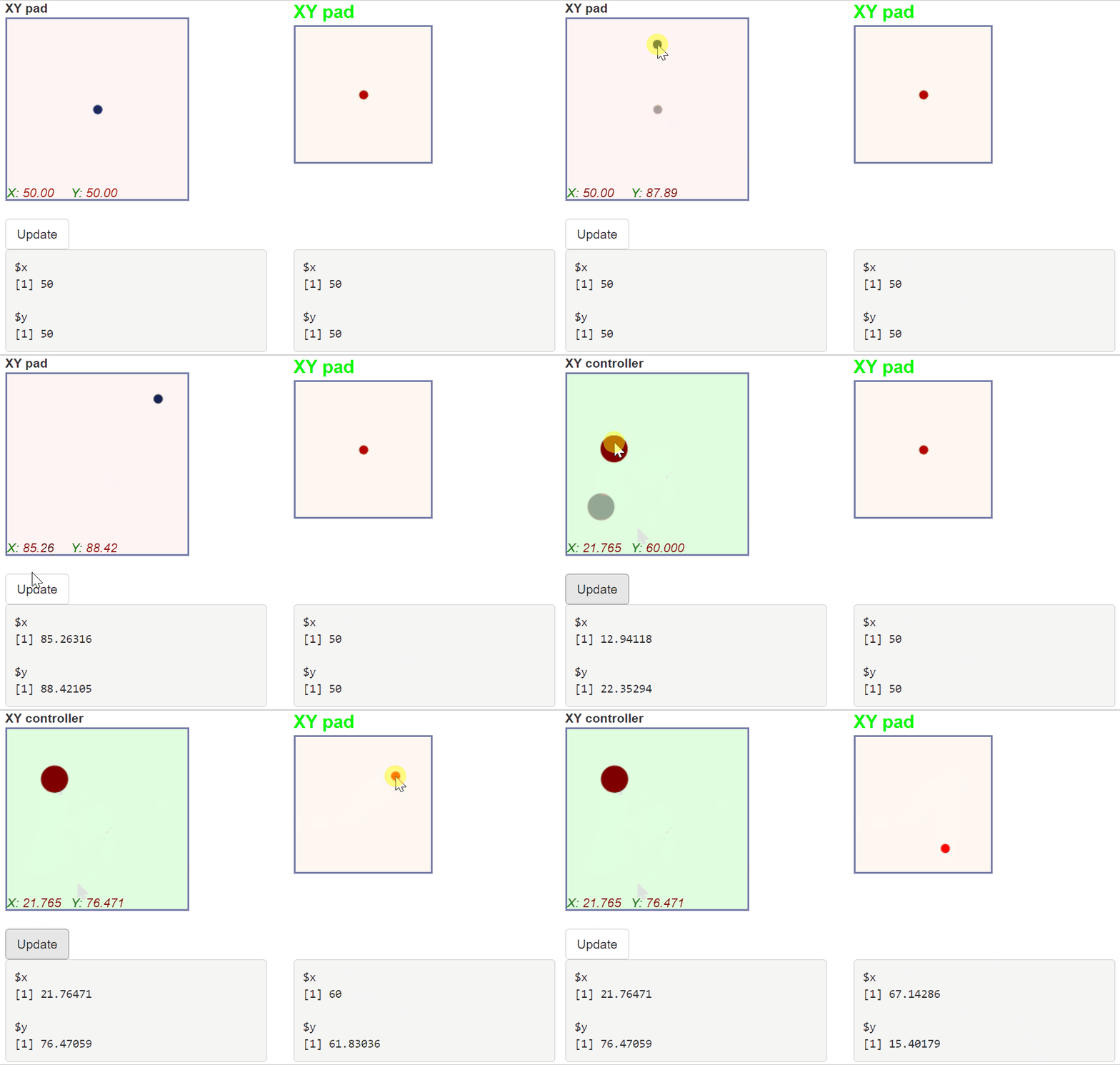
Provides an XY pad input for the 'Shiny' framework. An XY pad is like a bivariate slider. It allows to pick up a pair of numbers.
shinyXYpad
An XY pad controller for Shiny.
library(shiny)
library(shinyXYpad)

ui <- fluidPage(
  tags$head(
    tags$style(HTML("#xy2-xylabel {font-size: 20px; color: lime;}"))
  ),
  fluidRow(
    column(
      3,
      XYpadInput(
        "xy1", label = "XY pad", pointRadius = 5,
        x = "X", y = "Y",
        coordsColor = "darkred", xyColor = "green",
        xySize = 14, xyStyle = "oblique"
      )
    ),
    column(
      3,
      XYpadInput(
        "xy2", label = "XY pad", pointColor = "red",
        width = 150, height = 150,
        onMove = TRUE, displayXY = FALSE, displayPrevious = FALSE
      )
    )
  ),
  br(),
  actionButton("update", "Update"),
  br(),
  fluidRow(
    column(3, verbatimTextOutput("xy1value")),
    column(3, verbatimTextOutput("xy2value"))
  )
)

server <- function(input, output, session){

  output[["xy1value"]] <- renderPrint({input[["xy1"]]})
  output[["xy2value"]] <- renderPrint({input[["xy2"]]})

  observeEvent(input[["update"]], {
    updateXYpadInput(
      session = session, inputId = "xy1", label = "XY controller",
      value = list(x = 50, y = 50), ndecimals = 3,
      bgColor = "rgba(100,255,100,0.2)",
      pointColor = "maroon", pointRadius = 15
    )
  })

}

shinyApp(ui, server)