hairline
Clean, Predictable Figures for Medical and Data Science
A design system for 'ggplot2' figures: one frame for titles, legends, panels and captions, a fixed spacing and type scale, colour-vision checked palettes, brand files in the 'brand.yml' format, and print-ready export. Produces output matching the 'hairline' Python package.
hairline
Clean, predictable figures for medical and data science, built on 'ggplot2'. One frame for titles, legends, panels and captions, one type scale, colour-vision checked palettes, and print-ready files. The Python package of the same name draws the same figures from the same design tokens, so an R figure and a Python figure in one manuscript match.
install.packages("hairline")
R 4.3 or later with 'ggplot2' 4.0 or later. The bundled font, Hairline Sans, needs no installation for PNG,
SVG and HTML; for PDF on macOS without XQuartz, run hl_install_font() once.
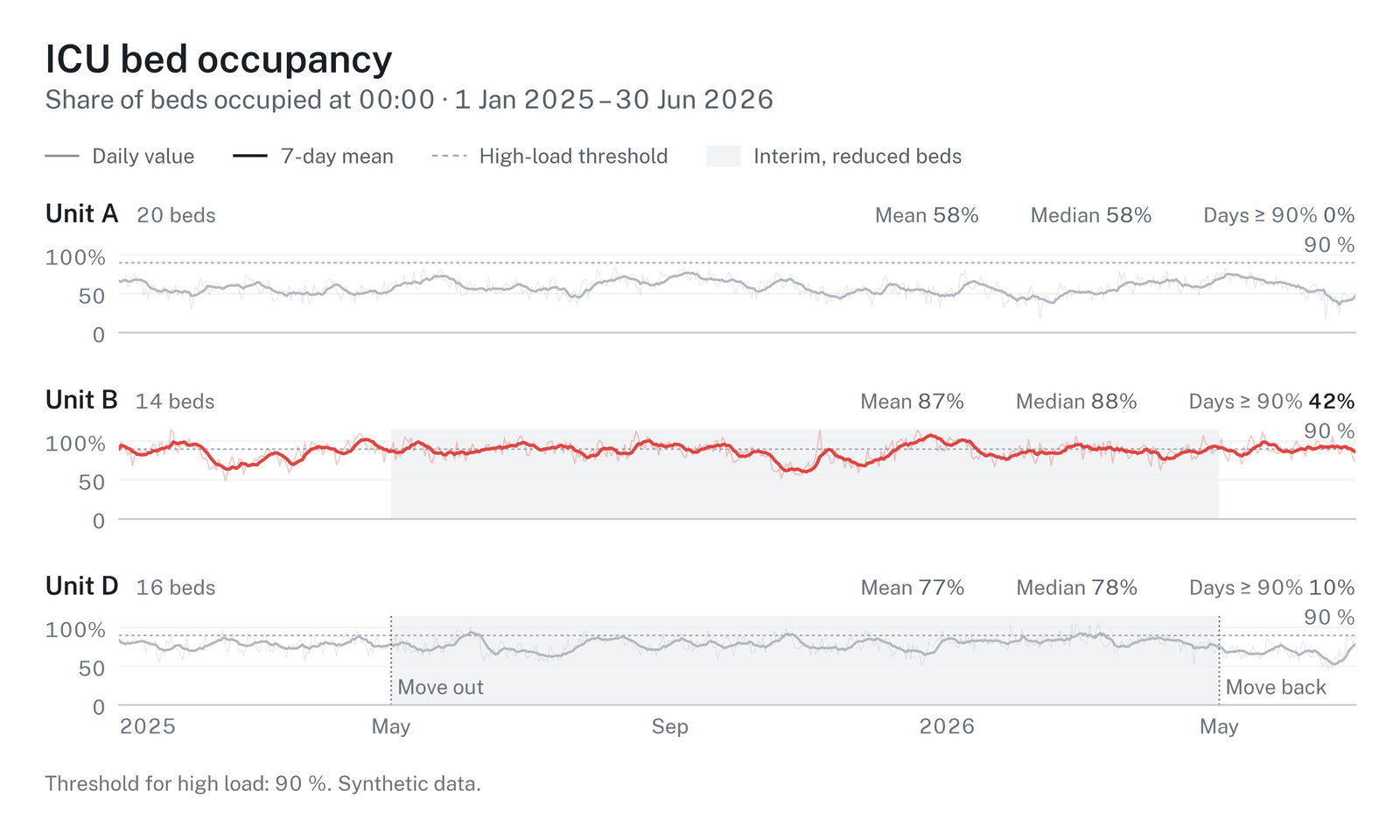
From data to a result
Most studies need the same few results: a cohort description, a comparison between groups, effects, events
over time. hl_study() takes a data frame once, with the role of each column, checks the data, and returns
each result as a figure, a table, the key values and a sentence for the text.
library(hairline)

set.seed(1)
cohort <- data.frame(arm = rep(c("Standard care", "Early mobilisation"), each = 40),
                     age = round(rnorm(80, 64, 12)), sex = sample(c("Female", "Male"), 80, TRUE),
                     months = round(rexp(80, 0.05), 1), died = rbinom(80, 1, 0.4))
study <- hl_study(cohort, group = "arm", time = "months", event = "died",
                  units = c(age = "years", months = "months"))

table_one <- hl_describe(study)    # Table 1: median (IQR) and n (%) per group
table_one$table                    # a data frame
age <- hl_compare(study, "age")    # spread rows per group, Wilcoxon rank-sum
age$text                           # "Age (years), median (IQR): ... (Wilcoxon rank-sum, p = ...)."
survival <- hl_survival(study)     # Kaplan-Meier with numbers at risk and the log-rank test
hl_save(survival$figure, "survival")              # survival.pdf and survival.png
Printing a study lists its checks: missing values, duplicate ids, categories that differ only in case, small groups, numeric columns without a unit. Errors stop the analysis; warnings name the fix.
Charts
Each chart is one call with the data and its column names, and returns a ggplot in the hairline frame:
hl_bars(), hl_scatter(), hl_timeseries(), hl_spread(), hl_raincloud(), hl_ridgeline(),
hl_kaplan_meier(), hl_forest(), hl_dotplot(), hl_funnel(), hl_correlation(), hl_donut(),
hl_partition(), hl_sankey(), hl_chord(), hl_arcs(), hl_venn(), hl_prisma() and
hl_risk_of_bias().
admissions <- data.frame(diagnosis = c("Sepsis", "Sepsis", "Trauma", "Cardiac", "Cardiac"),
                         sex = c("Female", "Male", "Male", "Female", "Male"))
figure <- hl_bars(admissions, "diagnosis", by = "sex", subtitle = "Admissions, 2025")
hl_save(figure, "admissions", formats = c("pdf", "png", "svg", "html"))
For anything else, theme_hairline() puts the same frame around your own ggplot:
library(ggplot2)
figure <- ggplot(mtcars, aes(wt, mpg)) + geom_point() +
  labs(title = "Fuel use by weight", x = "Weight (1000 lb)", y = "Miles per gallon") +
  theme_hairline()
hl_save(figure, "fuel", size = "single")
Colours
Groups take a palette's colours in order, so two groups always get the same two colours and a group keeps its
colour in every chart. hl_palettes() lists the six palettes, the purpose sets (two groups, greyscale print,
risk of bias) and the ramps for amounts; hl_swatches() draws them; hl_use(palette = "calm") changes the
default; hl_use(colors = c("Unit B" = "#e79d01")) pins a colour to a name; scale_fill_hairline_c("blues")
gives a ramp to your own ggplots. ?hairline_colours has the details.
Files
hl_save() writes PDF, PNG and TIFF (600 dpi by default), SVG (text kept as text) and self-contained
interactive HTML with tooltips. Files carry the figure's title and subtitle as their description, and no
timestamps.
Design
hl_use(brand = "_brand.yml")applies an institution's colours, fonts and sizes from a brand.yml file; several files layer from institution to document.hl_use(colors = c("Unit B" = "#e79d01"))pins a colour to a name across every chart.- Palettes are checked for colour-vision separation and contrast;
hl_check_palette()reports the numbers. hl_use(scheme = "dark", accent = "#0b6e4f")draws on a dark surface with an accent for single series.
Gallery
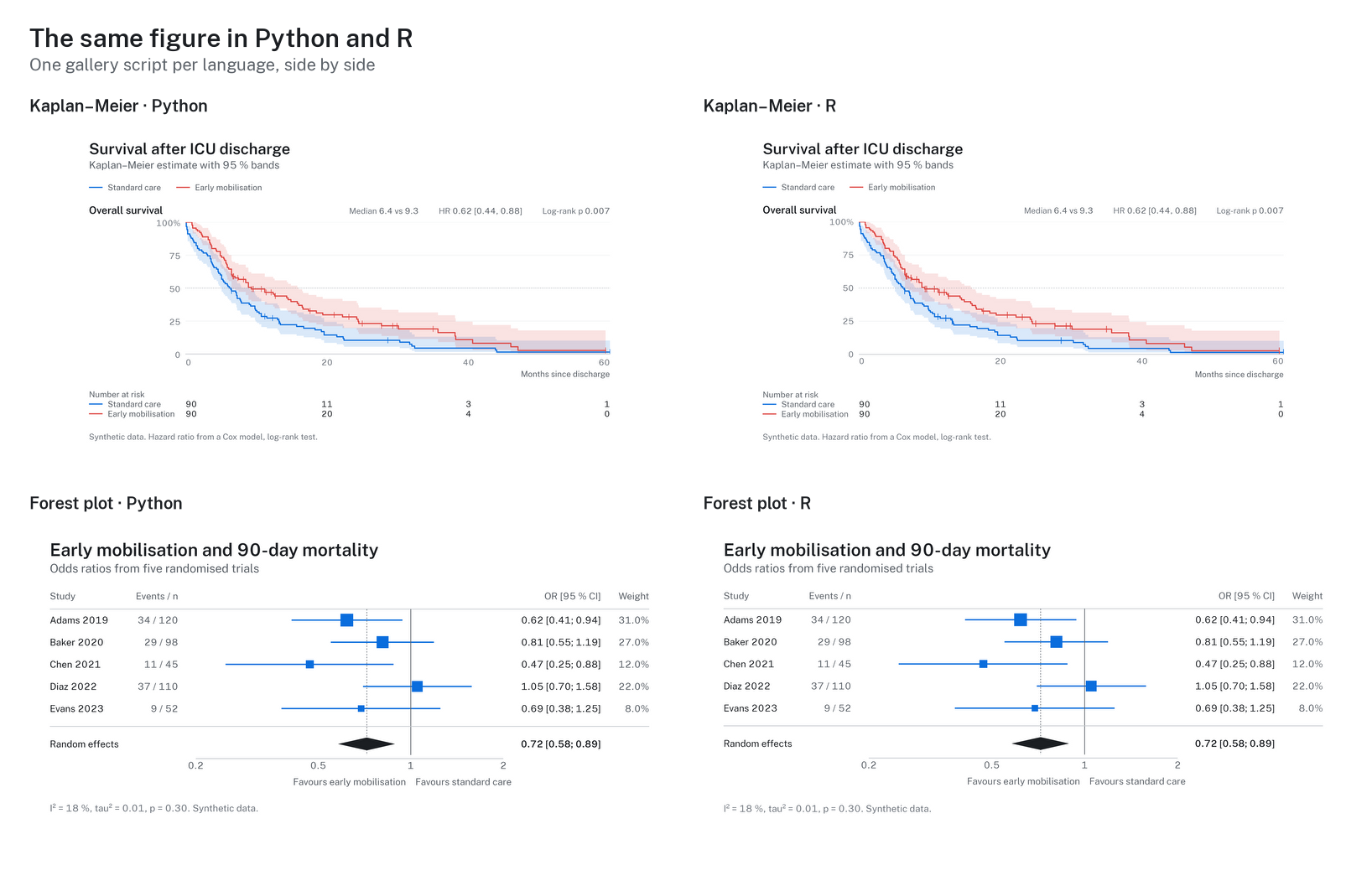
More figures, Python and R side by side, and the colour guide: https://github.com/schradern/hairline.
Author
Nikolas Schrader ([email protected]), ORCID 0009-0001-4616-3804.
How to cite
If hairline helped you make the figures in your work, please cite it; citation("hairline") prints the
reference:
@Manual{schrader2026hairline,
  title = {hairline: Clean, Predictable Figures for Medical and Data Science},
  author = {Nikolas Schrader},
  year = {2026},
  note = {R package version 0.1.0},
  doi = {10.5281/zenodo.23456212},
}
Licence
MIT. The bundled Hairline Sans font is a modified Public Sans (SIL Open Font License 1.1); see
inst/COPYRIGHTS.