robservable
Import an Observable Notebook as HTML Widget
Allows loading and displaying an Observable notebook (online JavaScript notebooks powered by < https://observablehq.com>) as an HTML Widget in an R session, 'shiny' application or 'rmarkdown' document.


robservable
This package allows the use of Observable notebooks (or parts of them) as htmlwidgets in R.
Note that it is not an iframe embedding a whole notebook -- cells are <div> included directly in your document or application. You can choose what cells to display, update cell values from R, and add observers to cells to get their values back into a Shiny application.
The following GIF shows a quick example of reusing a bar chart race notebook inside R with our own data.
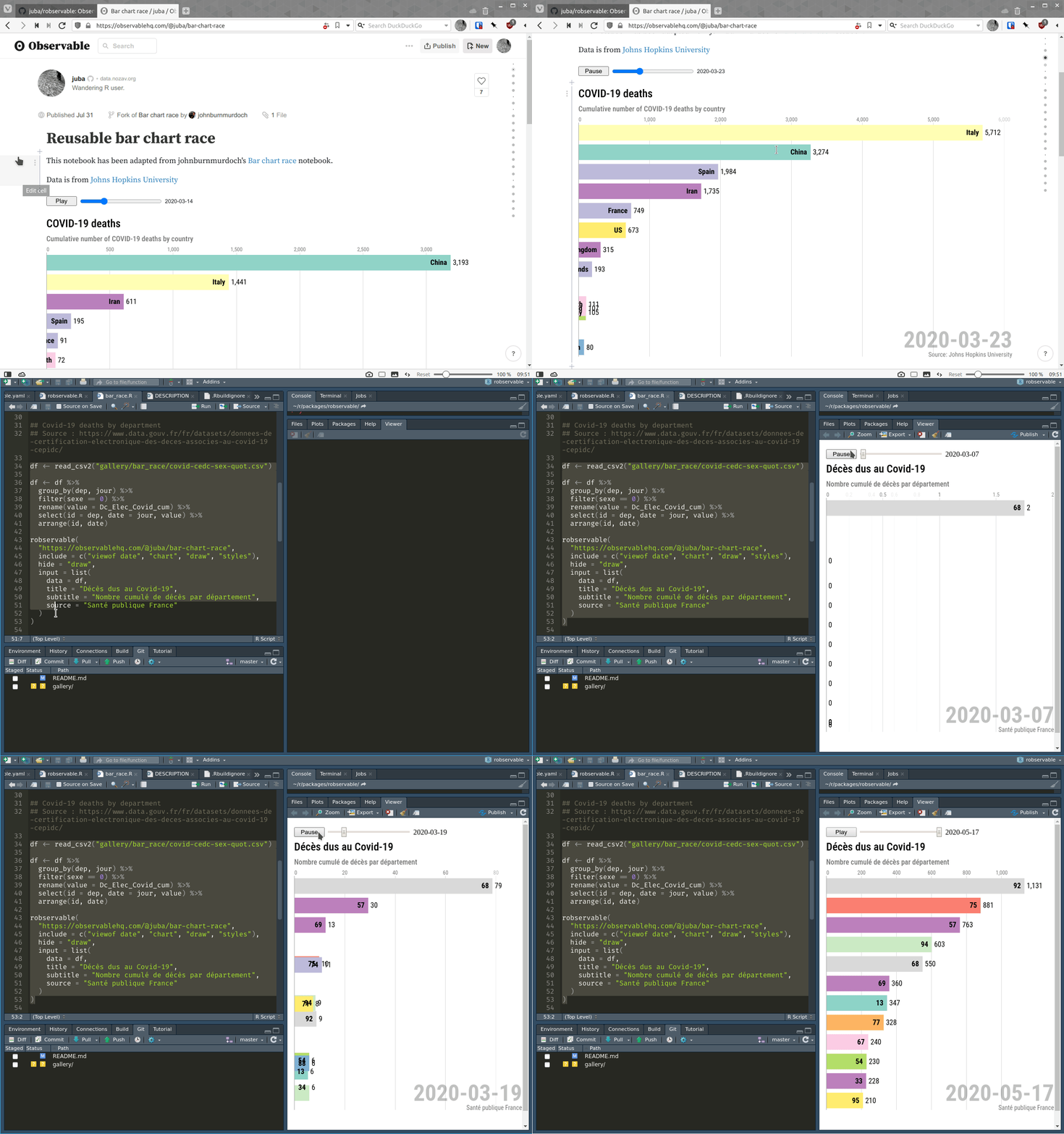
You'll find more examples and the associated R code in the robservable gallery.
Features
- Display an entire published or shared notebook as an
htmlwidget - Display specific cells of a published or shared notebook as an
htmlwidget - Use R data to update cell values
- Add observers on cell values to communicate with a Shiny app
- Use inside Shiny app or Rmarkdown document (as any htmlwidget)
Limitations
- Named cells can be included by name, but unnamed cells are refenced by their index (1-based), which is sometimes a bit tricky to determine. An alternative is to fork the notebook and name the cell in Observable.
- No offline support : the included notebooks have to be downloaded each time they are used.
Installation
The package is on CRAN, but you can also install the development version with:
remotes::install_github("juba/robservable")
Usage
For an introduction and examples, see the introduction to robservable vignette.
For a small gallery of interesting notebooks, see the robservable gallery vignette.
For usage in Shiny, see the robservable in Shiny applications vignette (work in progress).
Development notes
This package uses packer to manage JavaScript source code and dependencies. If you want to modify it, you'll need a working installation of Node.js.
After cloning this repository, run the following in a terminal at the project root :
npm install
Then, if you modify the JavaScript code in srcjs, you'll have to run the following command to bundle and update the widget JavaScript code :
packer::bundle_dev()
If you want to ship a minimized production version, use :
packer::bundle_prod()